Talk.
Gooby types.
Press a shortcut, speak, and your words appear in any app. Private, offline, free.
Say it messy.
Get it clean.
Code gets your exact words. No formatting.
Press the keys and start talking.Press Try it and watch Gooby type.
Three steps. That's it.
Press or say
Press the shortcut, or say “Hey Gooby”.
Speak
Talk like you normally do. Ums and all.
It's typed
Your words land wherever your cursor is.
Works in every app: email, chat, docs, code, AI chats.
Small app.
Lots of tricks.
Smart formatting
Punctuation, paragraphs and lists, with the “um”s taken out. It fits the app you're in: paragraphs in email, casual in chat, clear prompts for AI chats, and your exact words in terminals.
um so hey sam can we move the meeting to thursday at three and uh bring the slides
Hi Sam, can we move the meeting to Thursday at 3? Please bring the slides.
Voice commands
Say “Gooby,” then a command. Anything else is typed as said.
“Hey Gooby”, hands-free
Say his name to start. Pause to finish. It's optional and off by default.
Edit by voice
Select text anywhere and say “Gooby, make this shorter”, “fix the grammar” or “translate this into French”. It's rewritten right where it is.
Notes to self
“Gooby, note: buy milk.” Notes go straight to your Library. Nothing gets typed.

The Library
Every dictation, with its audio. Projects, tags, favorites, a calendar and search. Words light up as it plays back.

Your words
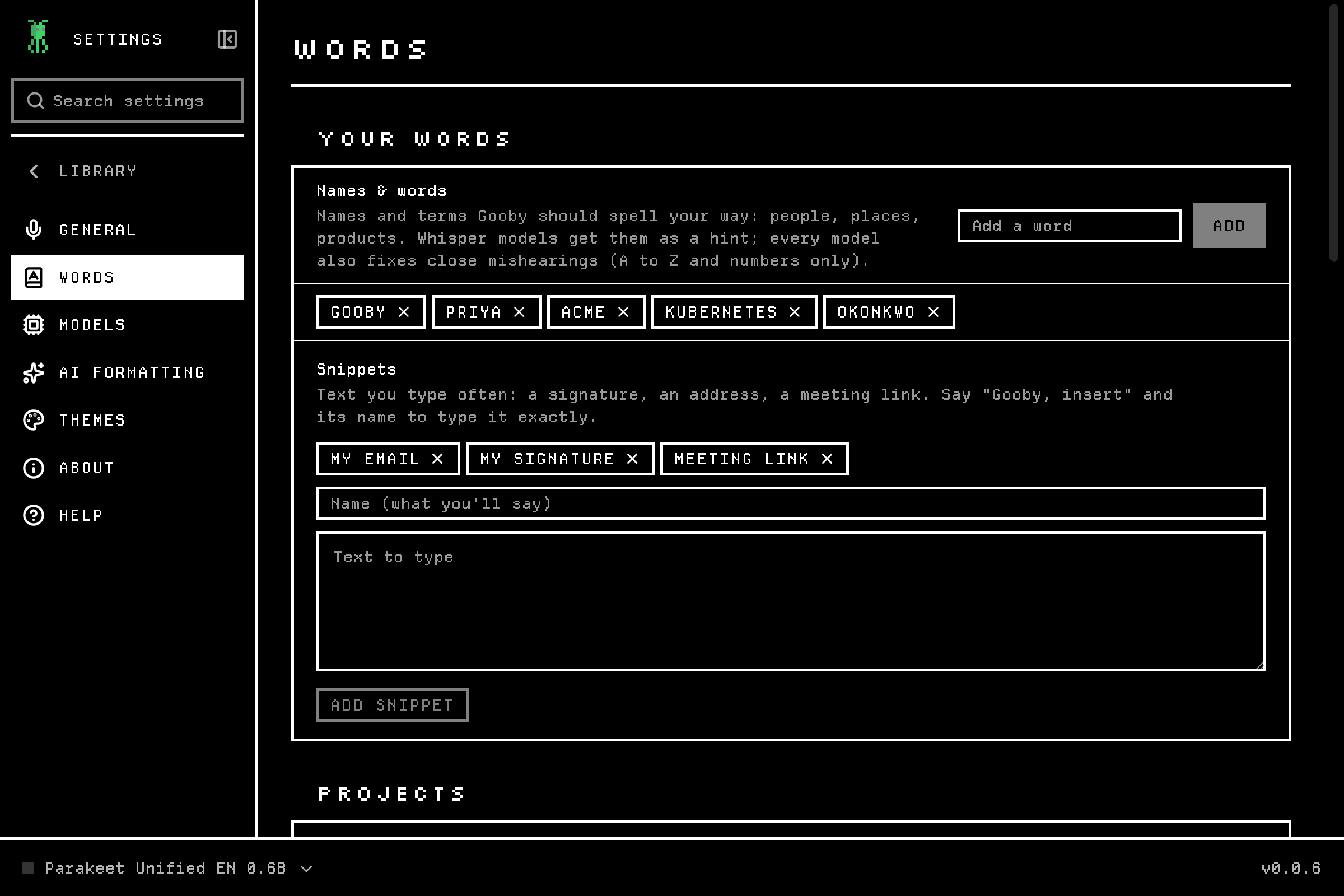
Teach Gooby names and jargon so they come out right. There are packs of common terms for each country, too.
Pick your look
Six palettes, each in light and dark. Go on, click one. The whole page changes with it.
Zero setup
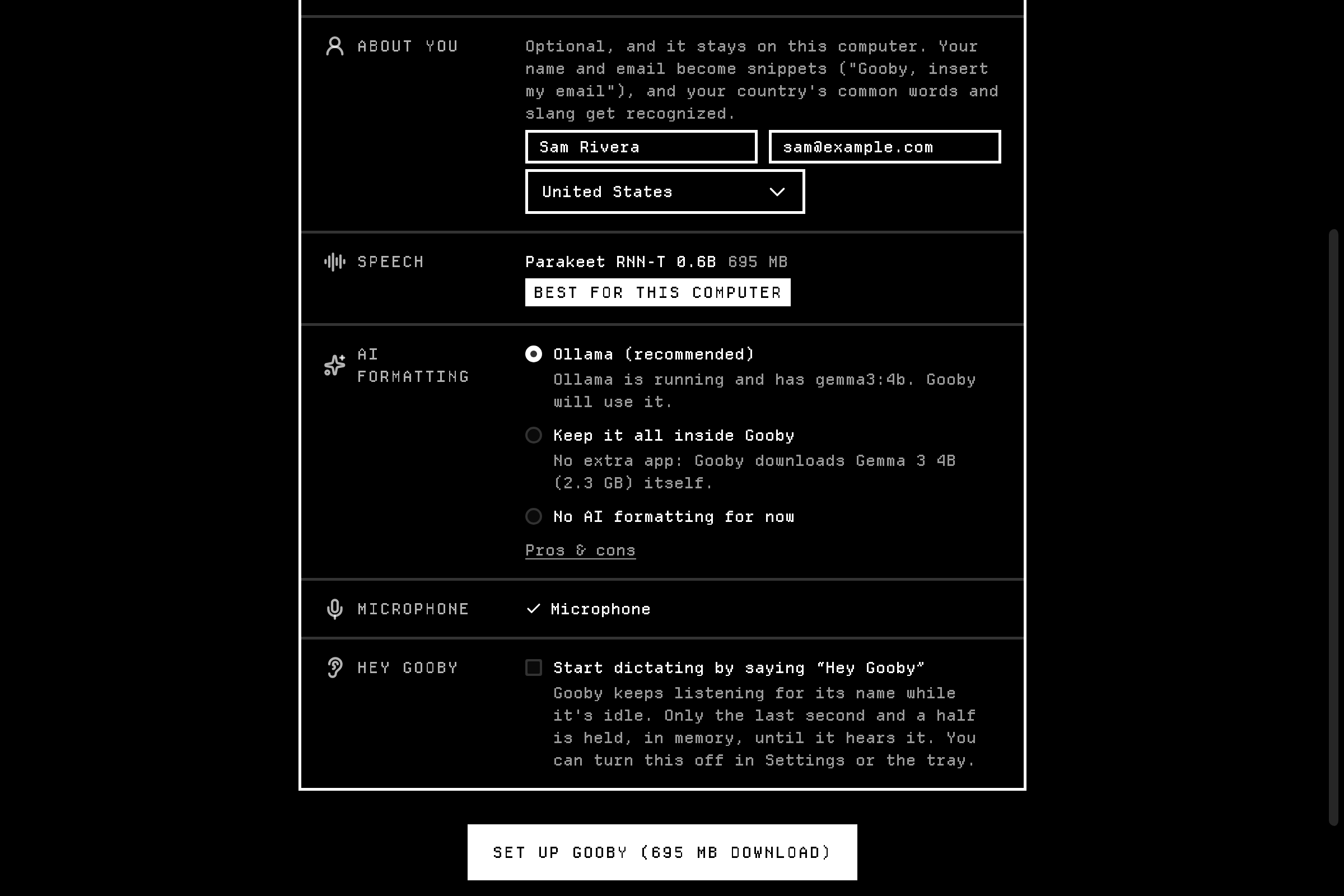
One click picks the best speech model and AI for your computer, and finds your microphone.
Anyone who'd rather talk.
Writers and students
Essays and notes at the speed of talking.
Developers
Clear prompts for AI chats. Terminals get your exact words.
Email and chat
Reply without typing.
Accessibility
For RSI, dyslexia, or anyone who finds typing hard.
Many languages
Dozens of languages, through local speech models.
Meetings and thoughts on the go
Voice notes, straight into your Library.
Your voice never leaves your computer.
Why Gooby
Get Gooby
Free. Pick your computer.
macOS
A .dmg for Apple Silicon or Intel.
First launch: System Settings → Privacy & Security → Open Anyway.
Questions
Yes. After the first model download, it works with no internet.
Yes.
A recent Windows, macOS or Linux computer and a microphone. A graphics card helps, but you don’t need one.
Many, through local speech models. Voice commands are English for now.
Yes. Formatting that fits the app doesn’t work there yet.
GitHub issues on gooby-app/releases, or the Discord.
Hang out with Gooby
Say hi, share ideas, report bugs. He'll be there.